
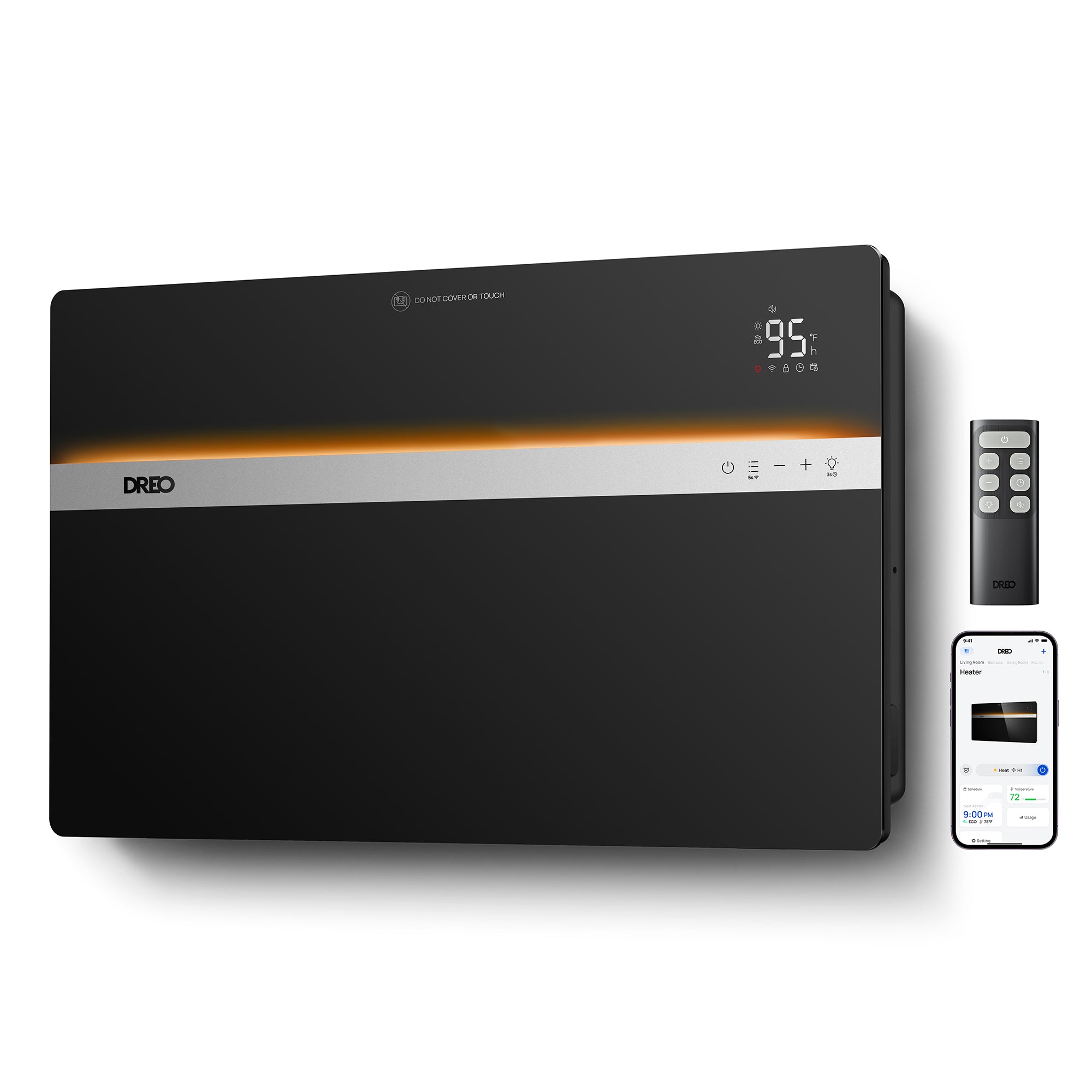
Your needs, this model
Does it fit your priorities?
Can the 711S provide fanless heat from a wall-mounted setup?
Yes. It is a fanless convection heater, but its manual requires wall-bracket installation. It does not provide a fan-only mode or airflow pattern.
Explore this need in the finder →Does the 711S have a phone app and a scheduled start?
Yes. The official manual describes Wi-Fi pairing with the DREO app, whose controls include a schedule. Its 0–24-hour timer can also turn the heater on from off; voice-assistant setup requires a DREO account.
Explore this need in the finder →Can the 711S meet a 20-inch maximum body-height limit?
The installation diagram labels the wall unit 1.5 feet (44.4 cm) high, about 17.5 inches. That is the heater body only; it does not include the clearances of at least 3.6 feet above, 0.8 feet to each side and 0.8 feet above the floor shown in the same manual.
Explore this need in the finder →The DREO Convection Heater 711S is not just a smarter color option for the wheeled 711. Its defining difference is installation: the US DR-HSH041S manual says the heater must be secured to a wall using its bracket. The wall format keeps the body off the floor, but it asks for drilling, a suitable mounting surface and clearance above, below and to both sides. App control is useful only if that fixed placement suits the room.
Measure the panel and the clearances separately
The manual’s installation diagram labels the heater body 2.6 feet wide by 1.5 feet high—about 30.9 by 17.5 inches. Those figures describe the panel, not the full space it consumes. The same diagram calls for at least 3.6 feet above the heater, 0.8 feet to either side and 0.8 feet between the bottom of the unit and the floor. It also says not to mount it in front of an electrical outlet. Check all those distances on the actual wall before planning around the lower profile; no depth or weight is specified in the materials I reviewed.
Installation is more involved than rolling the standard 711 into place. The included package lists a bracket, bubble level, five screws and five wall anchors. The manual shows the bracket being leveled, holes marked and drilled, then the heater hooked onto the bracket and locked. Do not set this model on the floor or prop it upright: the instructions explicitly require wall installation. A suitable wall and correctly secured mounting are part of the operating plan, not optional accessories.
Heat control without a fan stream
Like the standard 711, the 711S is a fanless convection heater with three manual power steps—900, 1,100 and 1,500 watts—and ECO temperature control from 41°F through 95°F in one-degree increments. In ECO mode it changes output as the room temperature approaches the chosen setpoint, then turns off at the target. This can be attractive if you want steady supplemental heat without a forced-air stream, but it is not a substitute for choosing a unit around the room’s insulation, drafts, outlet and primary heating system.
There is no separate fan-only mode, selectable fan speed or oscillation. The panel’s glowing ambient indicator is not a cooling function, and its fixed wall position will not sweep warmth from side to side. DREO markets silent operation and whole-room heating, but the manual and product listing do not provide an independent sound test or a room-specific performance guarantee. Do not translate the maker’s efficiency language into a promise about your bill.
App and timer controls are the upgrade
The 711S manual explains pairing the heater with the DREO app over Wi-Fi and says the app includes a schedule, display, child-lock and ambient-light controls. It can send an open-window notification after detecting a rapid temperature drop, but the feature is disabled by default and is a notification—not an automatic shutoff or a sensor that proves a window is open. The app can connect to Alexa or Google Home through its setup flow; the manual says voice-assistant access requires a DREO account.
There is still a physical remote in the box. The built-in countdown timer runs up to 24 hours and can turn the unit off while running or on when it is off. Separately, a continuous 24-hour auto-off function is not enabled by default. If you use the schedule, confirm the app’s settings and the heater’s state rather than assuming a generic timer has the same behavior. The manual also says the unit remembers prior settings after power is removed, with the timer excluded.
The right choice if it stays put
Choose the 711S when you want the panel attached to a suitable wall, need its app scheduling or want to keep floor area open. The body dimensions are relatively low compared with a tower, but the large overhead clearance and installation restrictions remain. App convenience does not make the heater portable, and its account-based voice setup may be a reason to use the remote instead.
Choose the standard 711 if you need to move the heater on its caster wheels and are comfortable with a non-app model. Its separate manual also documents a delayed start, so the 711S is not the only way to start a timer from the off position. If a circulating fan is part of the job, consider a fan-heater such as the Tower Heater 718 or MC706; both have fan-only airflow, unlike either convection panel. A tower brings a different footprint and directed airflow rather than fixed wall placement.
Limits and care
Unplug before cleaning and let the panel cool. DREO’s manual calls for a soft, dry cloth, warns against allowing water into the heater and recommends that service beyond cleaning be done by an authorized representative. Follow the clearances and mounting directions in the exact DR-HSH041S manual; a splash-resistance claim on a product page is not blanket permission to install the heater wherever water or steam may reach it. The US documents do not provide its supply voltage, body depth or weight, so verify the rating label and full installation particulars with DREO before buying if those are decisive.
This review uses the US Smart 711S listing, its native Black/Silver variant record and the matching support manual, not a hands-on test. Its strongest case is a real one: fixed wall installation plus app and schedule functions around simple, fanless heat control. Its strongest limitation is just as concrete: if the wall, clearances, mounting work or no-fan behavior does not fit your room, the smart controls do not solve that mismatch.
Key details at a glance
| Maximum listed input | 1500 W |
|---|---|
| Published body height | 17.48 in |
| Published body width | 30.87 in |
| Installation form | Fixed wall installation |
| Power-heat levels | 3 |
| Listed wattage values | 900 / 1100 / 1500 W |
| Separate fan-only mode | No |
| Documented fan-only speeds | 0 |
| Maximum documented horizontal sweep | 0° |
| Temperature setting range | 41–95°F in 1°F increments |
| Timer behavior | Manual documents a 0–24-hour countdown that switches the heater off when running or on when off. A separate 24-hour continuous-use auto-off setting is not enabled by default. The DREO app also supports schedules. |
| Can the heater start on a timer? | Yes |
| Phone-app control | Yes |
| Minimum wall clearance above | 43.31 in |
| Minimum wall clearance at each side | 9.84 in |
| Minimum wall clearance below | 9.84 in |
| Fanless convection heating | Yes |
| Control lock | Yes |
Use the exact model’s instructions for operating limits, supplied equipment and version differences.
Sources for this assessment
- DREO Smart Convection Heater 711S US product page
- DREO US heater collection native record for Convection Heater 711S
- DREO Smart Convection Heater 711S product data
- DREO official Smart Convection Heater 711S support page
- DREO Smart Convection Heater 711S US user manual, DR-HSH041S, revision 1.0
- CPSC model query for DREO DR-HSH041S (empty on check date)
- CPSC variant SKU query for DREO 711S Black SKU 10-040411-002
- CPSC variant SKU query for DREO 711S Silver SKU 10-040411-001
Check whether the room and routine line up.
Check room restrictions and full wall clearances first, then compare fan-only versus fanless heat, fit, app controls and the timer behavior the exact manual describes.